8 tips to optimise your checkout for mobile traffic

Mobile users make up more than 50% of web traffic. In fact during the Black Friday and Cyber Monday weekend 2021, mobile accounted for over 68% of online retail traffic.


The pandemic has only increased this weighting. Working from home has made desktop devices feel like the office. Mobiles feel like a place to catch up with friends, play games, and shop. Mobile eCommerce or mCommerce has an average cart abandonment rate of 86%. That’s 16% higher than desktop devices. With these statistics, it would be easy to simply assume that most mobile visitors are just window shopping, with very low intent to buy. This could be why many eCommerce businesses don’t give enough thought to the mobile checkout journey of their stores.


But with mobile traffic volumes increasing all the time, the high abandonment rate will hurt businesses more and more. Savvy eCommerce managers could make modifications to their checkout to better accommodate mobile shoppers, enticing them to buy. Currently, according to research done by Baymard Institute on average, for every 100 mobile visitors that add an item to a basket, only 14 are completing their purchase. If even 10 of those abandonments are for reasons other than window shopping and could be helped through their checkout journey by small changes, it could make big differences for businesses.


According to Baymard, 18% of cart abandonments are due to long and complicated checkout forms. With small screens and cramped keyboards of mobile devices, unwieldy forms are a much greater obstacle. Optimising the checkout user experience for mobile device users is more vital than ever for businesses.


Here are our 8 tips for optimising your checkout UX for mobile devices


1. Bigger buttons


It is important to make the call-to-action buttons proportionately larger compared to the rest of the screen content on a mobile device than on a larger screen. They need to grab the attention to clearly signpost the visitor through their checkout journey. Bear in mind that most mobile users will be navigating using their thumbs so the buttons must be of a size that takes the average thumb size into account.


2. Vertical alignment and segmentation


Make sure customers only need to scroll up and down to navigate checkout, not side to side as well. In fact, it is preferable to have multiple short steps split along several pages rather than one long checkout that needs to be scrolled through. This makes it less likely that a customer will miss a step or an important piece of information.


3. Progress bar


Show customers how far they have come and how much they have left to go. They are more likely to complete the checkout journey if they know how much more time and effort it is going to take than if they feel like they are being presented with page after page with no clear direction.


4. Declutter


Only ask the absolutely vital information. Depending on your product, is the customer’s birth date really necessary for example? What about a phone number? Only ask for the information that will be used to offer the best service and don’t take up extra time and space asking for unnecessary personal details. Also, consider removing additional prompts such as upsells. The more opportunities customers have to be drawn away from their purchase, the less likely they are to complete the process.


5. Do not force account creation


One of the biggest reasons for cart abandonment, on any device, is the need to create an account before checkout. If the customer enjoys their experience and is happy with their purchase, they can choose to sign up later for extra rewards and loyalty schemes. But when it comes to the checkout journey, don’t discourage prospective customers by forcing a sign up when they might just want a one-time purchase. Allow guest checkout and social login options. Particularly on mobile devices, a person’s social media account will be integral to their device and usage, allowing them to sign up using their facebook account saves time and will also immediately provide more of their data without taking any more of their time.


6. Offer wallets


Consumers often feel less secure using mobile devices to complete transactions than they do on desktops. Therefore, offering wallets like PayPal and apple pay will reinforce trust in the security of the website as well as speed up the payment process by removing the need to type in long credit card numbers.


7. Display security badges


A lock icon, the words “secure checkout”, security badges such as McAfee or Norton, encrypted https instead of http. All of these signs help to build trust with customers and make them feel safer and more secure when providing their personal information and payment details.


8. Address validation


One of the biggest challenges with mobile checkout is data capture, the small screens make large amounts of typing unwieldy. Autofill may seem like a clear solution, however, it is still essential to validate the address at checkout to guarantee efficient delivery.


For one thing, autofill is not guaranteed to populate forms in the correct order depending on the number of fields in the form and how they compare to the stored information.


For another thing, autofill will default to the saved address. If the purchase is a gift, for example, then the customer will need to be able to find and select an address other than their own stored one.


An address auto-complete or postcode lookup address validator will find the correct address in just a few keystrokes and ensure it is valid and authentic. Saving precious time that could otherwise have lost a customer, as well as eliminating failed deliveries caused by bad address data.

About Fetchify


Fetchify’s address lookup and data validation platforms cover more than 250 countries, and increases customer conversion with the fastest, most accurate customer data capture. Fetchify’s flagship products – Address Auto Complete and Postcode Lookup – reduce friction at the checkout, and also significantly increase the number of successful deliveries. Founded in 2008, Fetchify processes millions of data transactions every day for clients ranging from startups to established high-street names, and offers a full suite of data validation tools, including phone, email and bank, too.

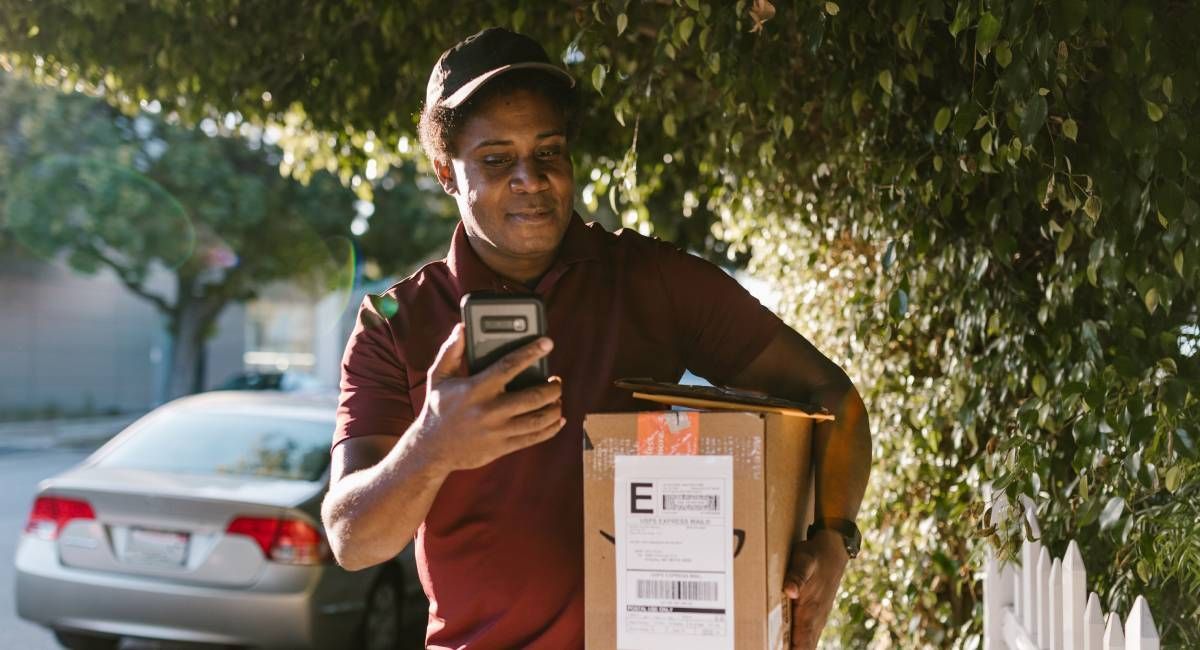
Courier delivering a parcel and checking his phoe ne
By Fiona Paton June 25, 2026
What is PAF? The Postcode Address File (PAF®) is Royal Mail’s definitive database of every deliverable address and postcode in the UK. It covers over 32 million delivery points and is updated monthly. If your business relies on accurate address data, at checkout, in your CRM, or for deliveries, PAF is the source that keeps it current. June 2026 in numbers Royal Mail made 62,027 changes to PAF this month. That is not a small number. It represents new homes that need delivering to, businesses that have moved or closed, streets that have been renamed, and addresses that were simply wrong and have now been corrected. Every one of those changes is a record in someone’s database that may now be out of date, and a delivery, a campaign, or a customer communication that could go wrong if the data hasn’t been updated. Delivery point changes at a glance Here’s the full breakdown of what changed, amended, and was removed from PAF in June:
By Fiona Paton June 18, 2026
How data decay is quietly removing your best customers before they ever decide to leave. Somewhere in your CRM right now, there is a customer you think you lost. They stopped buying about eighteen months ago. They went into a lapsed segment, got a couple of reactivation emails, did not respond, and were eventually written off. The assumption was that they moved on. What actually happened, in a surprising number of cases, is much simpler. They moved house. The reactivation emails went to an inbox they no longer check. The direct mail went to a flat that has a different tenant. The customer was not gone. They were just unreachable. And because the database had no way of flagging the difference, they were counted as churn. This is how data decay works. Not in dramatic failures, but in a steady accumulation of records that have quietly stopped being accurate. Around 30% of customer data goes stale every year, not because anything went wrong, but because people move, change jobs, switch email addresses, or get married. Left unaddressed, that figure compounds. A database that has not been properly maintained for three years may have a third of its records either partially or wholly unreachable. The problem is that it is almost invisible until it is already significant. A handful of bounced emails does not raise an alarm. Neither does a slightly elevated returns rate. The metrics look broadly normal because the volume of bad data is not yet high enough to distort them. By the time it is, the damage is done. The churn you cannot account for Most businesses have a reasonable handle on the customers they actively lose. Cancellations are tracked. Lapsed accounts are flagged. Retention programmes exist precisely to address the customers who stop buying. What those programmes cannot reach is the customer who never formally left. They sit in the CRM as a lapsed record. They count toward the database size. They get included in reactivation segments. They cannot receive the communication because the address on their record is no longer valid. The downstream effect is real. A repeat customer whose address changed after a house move never receives the offer that would have brought them back. A lapsed member does not see the renewal reminder and lets the subscription quietly expire. In both cases, the organisation records an attrition event. In neither case did the customer actually decide to leave. A customer who moved house is not the same as a customer who left. That distinction tends to matter quite a lot when you are trying to work out where your retention budget should go. Why reactivation campaigns underperform When a win-back campaign comes back with poor results, the instinct is to interrogate the campaign. The subject line gets tested. The offer gets more aggressive. The timing gets adjusted. All of that is reasonable. None of it helps if a meaningful share of the list cannot receive the email in the first place. A lapsed customer segment typically contains three types of contact: people who genuinely disengaged and are unlikely to respond, regardless, people who might respond to the right message, and people who would respond, but the email never arrives because the address has changed. The frustrating thing is that you cannot easily tell these groups apart from the outside. Low open rates and low click-through rates look the same whether the cause is disengagement or data decay. Email is only part of it. Physical address decay affects direct mail and delivery. Phone number decay affects SMS and outbound calling. Each channel erodes at its own rate, and most organisations are not tracking the accuracy of their data across all of them. 30% of customer database records become inaccurate within 12 months, without any action by the customer. What changes when the data is clean A data cleanse does not just improve deliverability, though it does that. It changes what the numbers actually mean. When ghost records are removed from a lapsed segment, the remaining file is smaller but more meaningful. Reactivation revenue from that cleaned list is real revenue, not a percentage improvement calculated against contacts who were never going to respond. The churn figure, once recalculated without the unreachable records, is often more positive than expected. Some of what looked like permanent attrition turns out to be recoverable. There is a GDPR dimension too. Article 5(1)(d) requires that personal data be kept accurate and, where necessary, up to date. The ICO can issue fines of up to £17.5 million for data accuracy failures. Most organisations are not at serious risk of enforcement, but most organisations also have not checked how their database holds up against a standard they are legally required to meet. The more common consequence is commercial rather than regulatory. Marketing budgets applied to an inaccurate list simply do less than they should. The same spend, against a validated file, produces measurably better results. Not because the campaigns improved, but because the contacts can actually receive them. The practical starting point Addressing data decay does not require a significant IT project. For most organisations, the starting point is a cleanse of the existing CRM: matching records against current address databases, identifying email addresses with persistent bounce history, removing duplicates, and flagging phone numbers that are no longer in service. Done once, it resets the foundation. Done regularly, and combined with validation at the point of data capture, it prevents the drift from accumulating again. The customers in those unreachable records did not all decide to leave. Some of them are still out there, still buying in your category. They just moved. Improve your data health and protect your business today. Reach out to our team below for a free data health check.
By Fiona Paton June 15, 2026
Jay’s career has never followed a straight line. Electronics engineering. Automotive systems. A social app for hostels that was about to launch just as COVID closed every hostel in the world. A pivot into web development. And eventually, Fetchify - where he now leads the team building the technology that keeps millions of data lookups running accurately every day. Looking back, the route makes perfect sense. Jay has always been drawn to what’s next. To faster feedback. To building things that work and seeing them work quickly. Software gave him all of that in a way that automotive engineering, for all its complexity, eventually stopped doing. The long way round Jay studied electronics engineering and came out of university specialising in embedded systems. By 2015, he was working on automated parking systems - the kind built on sensors and split-second decisions - and for a while, he found it genuinely interesting. But something was missing. “I wanted to see results faster,” he says. “With embedded systems and automotive work, the feedback loops are long. I wanted to build something and see it working.” So, he pivoted. He taught himself mobile development and from there, a startup building a social app for hostels and hotels - a platform that matched guests by shared interests, so someone travelling alone could find other guests up for the same activities. It was a genuinely good idea, with a handful of places trialling the beta version. Then 2020 arrived, the hospitality industry stopped overnight, and the timing simply couldn’t have been worse. Most people would have counted it as a setback. Jay counts it as part of the story. Finding something that fits He joined ClearCourse, initially working on the membership CRM side of the business. When a role came up at Fetchify, he knew it was the one. Tech Lead. A team to run. Real scope to build, improve and innovate - and enough space to do it properly. “What I love most about my job is the chance to be innovative and improve the quality of the software - and the opportunity to keep learning. There’s always something new.” His approach to leading the team reflects the same values. He talks about trust a lot - giving people the space to do things the way they think makes sense, rather than prescribing the path. The team checks in daily, whether that’s to swap ideas, talk through a problem, or join a scrum call. It’s not just his immediate team either: the wider Fetchify team, and within the ClearCourse group, there’s a culture of helping out. Of people being willing to lend a hand when it’s needed. “Software development can feel like a solo job, but actually the team here is solid, and we enjoy working together.” The thing he's most excited about Ask Jay what he’s most passionate about right now, and the answer is immediate: AI. Not in an abstract, trend-chasing way - but with a specific and considered view of what it actually means for software developers and the organisations they build for. “AI is raising the bar for what developers can produce. But I see it as a two-way collaboration - a helping hand to do the grunt work, while the ideas, the creativity, the innovation still come from people. It should help people achieve more in less time. Not replace the thinking.” His long-term goal is to help other ClearCourse businesses integrate AI into their products - starting, naturally, with Fetchify. For a company built on data accuracy, the intersection of clean data and AI capability is not an abstract future conversation. It’s already the direction of travel. Beyond the screen Jay grew up in Egypt, and travel is still one of the things he values most. He heads home to family a couple of times a year, and fits in city breaks wherever he can - somewhere new, with good food and different people and things to explore. His ideal off-duty scenario involves a beach, good conversation, and absolutely no particular agenda. The gym, friends and music round it off - time away from the screen that, for someone whose working life involves building technology that processes millions of data points a day, seems like a fairly sensible skill. When he imagines the distant future - the looking-back version - he pictures a career of creation, innovation and the willingness to embrace whatever comes next. That, and a beach somewhere warm. We’re very glad the winding road brought him to Fetchify.
By Fiona Paton May 28, 2026
“Fetchify turned what felt like a crisis into a straightforward fix - and in just a couple of days. We went from not being able to contact anyone to generating four new client applications from a single send. The data cleanse didn't just fix a problem - it opened the door again.” – Marcel Stirling, Phoenix Insolvency
Show More