8 tips to optimise your checkout for mobile traffic

Mobile users make up more than 50% of web traffic. In fact during the Black Friday and Cyber Monday weekend 2021, mobile accounted for over 68% of online retail traffic.


The pandemic has only increased this weighting. Working from home has made desktop devices feel like the office. Mobiles feel like a place to catch up with friends, play games, and shop. Mobile eCommerce or mCommerce has an average cart abandonment rate of 86%. That’s 16% higher than desktop devices. With these statistics, it would be easy to simply assume that most mobile visitors are just window shopping, with very low intent to buy. This could be why many eCommerce businesses don’t give enough thought to the mobile checkout journey of their stores.


But with mobile traffic volumes increasing all the time, the high abandonment rate will hurt businesses more and more. Savvy eCommerce managers could make modifications to their checkout to better accommodate mobile shoppers, enticing them to buy. Currently, according to research done by Baymard Institute on average, for every 100 mobile visitors that add an item to a basket, only 14 are completing their purchase. If even 10 of those abandonments are for reasons other than window shopping and could be helped through their checkout journey by small changes, it could make big differences for businesses.


According to Baymard, 18% of cart abandonments are due to long and complicated checkout forms. With small screens and cramped keyboards of mobile devices, unwieldy forms are a much greater obstacle. Optimising the checkout user experience for mobile device users is more vital than ever for businesses.


Here are our 8 tips for optimising your checkout UX for mobile devices


1. Bigger buttons


It is important to make the call-to-action buttons proportionately larger compared to the rest of the screen content on a mobile device than on a larger screen. They need to grab the attention to clearly signpost the visitor through their checkout journey. Bear in mind that most mobile users will be navigating using their thumbs so the buttons must be of a size that takes the average thumb size into account.


2. Vertical alignment and segmentation


Make sure customers only need to scroll up and down to navigate checkout, not side to side as well. In fact, it is preferable to have multiple short steps split along several pages rather than one long checkout that needs to be scrolled through. This makes it less likely that a customer will miss a step or an important piece of information.


3. Progress bar


Show customers how far they have come and how much they have left to go. They are more likely to complete the checkout journey if they know how much more time and effort it is going to take than if they feel like they are being presented with page after page with no clear direction.


4. Declutter


Only ask the absolutely vital information. Depending on your product, is the customer’s birth date really necessary for example? What about a phone number? Only ask for the information that will be used to offer the best service and don’t take up extra time and space asking for unnecessary personal details. Also, consider removing additional prompts such as upsells. The more opportunities customers have to be drawn away from their purchase, the less likely they are to complete the process.


5. Do not force account creation


One of the biggest reasons for cart abandonment, on any device, is the need to create an account before checkout. If the customer enjoys their experience and is happy with their purchase, they can choose to sign up later for extra rewards and loyalty schemes. But when it comes to the checkout journey, don’t discourage prospective customers by forcing a sign up when they might just want a one-time purchase. Allow guest checkout and social login options. Particularly on mobile devices, a person’s social media account will be integral to their device and usage, allowing them to sign up using their facebook account saves time and will also immediately provide more of their data without taking any more of their time.


6. Offer wallets


Consumers often feel less secure using mobile devices to complete transactions than they do on desktops. Therefore, offering wallets like PayPal and apple pay will reinforce trust in the security of the website as well as speed up the payment process by removing the need to type in long credit card numbers.


7. Display security badges


A lock icon, the words “secure checkout”, security badges such as McAfee or Norton, encrypted https instead of http. All of these signs help to build trust with customers and make them feel safer and more secure when providing their personal information and payment details.


8. Address validation


One of the biggest challenges with mobile checkout is data capture, the small screens make large amounts of typing unwieldy. Autofill may seem like a clear solution, however, it is still essential to validate the address at checkout to guarantee efficient delivery.


For one thing, autofill is not guaranteed to populate forms in the correct order depending on the number of fields in the form and how they compare to the stored information.


For another thing, autofill will default to the saved address. If the purchase is a gift, for example, then the customer will need to be able to find and select an address other than their own stored one.


An address auto-complete or postcode lookup address validator will find the correct address in just a few keystrokes and ensure it is valid and authentic. Saving precious time that could otherwise have lost a customer, as well as eliminating failed deliveries caused by bad address data.


About Fetchify


Fetchify’s address lookup and data validation platforms cover more than 250 countries, and increases customer conversion with the fastest, most accurate customer data capture. Fetchify’s flagship products – Address Auto Complete and Postcode Lookup – reduce friction at the checkout, and also significantly increase the number of successful deliveries. Founded in 2008, Fetchify processes millions of data transactions every day for clients ranging from startups to established high-street names, and offers a full suite of data validation tools, including phone, email and bank, too.

By Fiona Paton July 28, 2026
Guest data captured at the point of booking is quietly falling apart before the stay even begins, and peak season is when it costs the most. A guest books a weekend away for the August bank holiday. Room type, dates, total cost, all confirmed on screen. Then nothing. No confirmation email lands in their inbox. Ten minutes later, they're calling the front desk to check the booking actually went through. Nobody did anything wrong here. The booking engine worked. Payment went through. What broke is quieter than that, and far more common than most hospitality businesses realise. The address you have isn't always the address you think you have A significant share of hotel bookings now arrives through an OTA (an online travel agency, like Booking.com or Expedia) rather than direct. That's not new. What's less well understood is what actually lands in the property management system when they do. Many OTAs pass through a masked or proxy email address rather than the guest's real one, generated specifically for that booking and often expiring shortly after the stay ends. It looks like a valid email address. It behaves like one, right up until the property tries to use it for anything beyond the original booking confirmation. Direct bookings aren't much safer. Industry estimates put the proportion of invalid addresses from manually entered guest data at 20 to 45%, a misspelt domain, a transposed digit, a typo made booking late at night on a small phone screen. None of that shows up as a problem until the moment it matters: a pre-arrival email, a late check-in code, a parking permit, a table reservation confirmation. Why this one email matters more than most Booking confirmations aren't treated like other guest communications, because guests don't treat them like other emails. Open rates for confirmation emails run considerably higher than standard marketing sends, and the expectation isn't "eventually"; it's immediate. A guest expects that confirmation within minutes, not by the end of the day. If it doesn't land straight away, the natural read isn't "it's still processing"; it's "something's gone wrong". A guest who doesn't receive a confirmation doesn't shrug it off. They worry, then they call, then someone on your team spends five minutes confirming something that should have taken none. Peak season is when this compounds None of this is especially visible in a quiet month. A handful of bounced confirmations, a few guests calling to check, easily absorbed. Peak season changes the maths. Higher volumes mean more bad records moving through the system at once, and less staff time available to catch each one before it becomes a guest's problem rather than a data problem. The property that could quietly absorb ten failed confirmations in March is dealing with a hundred in August, right when front desk and reservations teams are already stretched thinnest. Peak season doesn't create this problem. It just makes the one that was already there impossible to ignore. What this actually costs The cost isn't just the phone call. A guest who's already anxious about whether their booking is real arrives in a different frame of mind than one who received a warm, accurate pre-arrival email three days before. Upsell opportunities in that pre-arrival window - an early check-in, a room upgrade, a spa slot, depend on the guest actually receiving it in the first place. None of that happens if the address behind it was never valid to begin with. The fix sits earlier than most teams look The instinct when a confirmation bounce is to fix it after the fact: resend, follow up by phone, apologise. The more useful moment is earlier, verifying email and phone at the point they're captured, whether that's a direct booking form or a reconciliation step against whatever an OTA has actually handed over. In practice, that looks like validation built into the booking form itself: if a guest mistypes their email, the system flags it before they hit submit, the same way a checkout might flag an invalid card number. This is exactly what Fetchify does for hospitality businesses: verifying contact details at the source, so the confirmation, the pre-arrival email, the parking permit, all have somewhere real to land. Caught there, it never becomes a guest-facing problem at all. Getting this right at the point of entry does more than protect a confirmation email. It's a faster, less frustrating booking process for the guest, since a flagged typo takes a second to fix rather than derailing the whole form. It's cleaner data feeding into retargeting and post-stay marketing, since accurate contact details are what make audience targeting worth doing in the first place. And it's a real inbox to send a review request to once the stay is over, rather than one more email quietly bouncing into nothing. If your team is capturing guest contact details manually, or reconciling them from OTA bookings, catching the invalid ones before check-in is more straightforward to fix than it sounds. More on how Fetchify helps hospitality businesses keep guest data accurate below.
By Fiona Paton July 27, 2026
“I found the process a painless exercise, which involved very little extra work from me, and the success was very high. I would recommend anyone who is experiencing issues with old data to go through a data cleanse.” – Michael Gillespie, Manager of Field Testing, Sports Labs
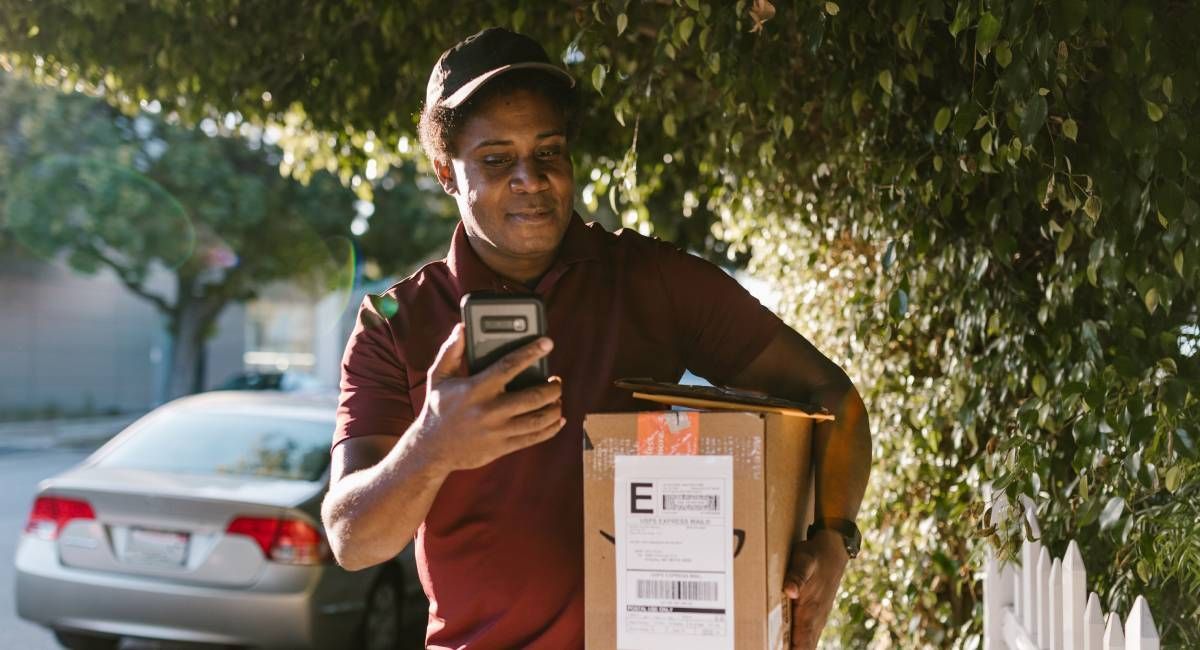
Courier delivering a parcel and checking his phoe ne
By Fiona Paton July 21, 2026
What is PAF? The Postcode Address File (PAF®) is Royal Mail’s definitive database of every deliverable address and postcode in the UK. It covers over 32 million delivery points and is updated monthly. If your business relies on accurate address data, at checkout, in your CRM, or for deliveries, PAF is the source that keeps it current. July 2026 in numbers Royal Mail made 54,025 changes to PAF this month. That is not a small number. It represents new homes that need delivering to, businesses that have moved or closed, streets that have been renamed, and addresses that were simply wrong and have now been corrected. Every one of those changes is a record in someone’s database that may now be out of date, and a delivery, a campaign, or a customer communication that could go wrong if the data hasn’t been updated. Delivery point changes at a glance Here’s the full breakdown of what changed, amended, and was removed from PAF in July:
By Fiona Paton July 20, 2026
The Address Is Only Half the Journey. Meet nShift. Fetchify ensures the address is correct at checkout. nShift makes sure the parcel gets there. A validated address is a great start, but it's only half the journey. From there, the parcel still has to find the right carrier, the right label, and the right doorstep. That's a different problem, and it's the one nShift solves. What nShift does nShift is a delivery management platform connecting businesses to 1,000+ carriers across 190 countries through a single integration, checkout, delivery options, carrier selection, tracking, and returns, all in one place instead of a separate system per carrier. Customers using nShift see a 20% increase in conversions at checkout and up to 60% fewer "where is my order" queries. Superdry is a good example with 515 stores, 21 websites, and shipping to 100+ countries. As the business scaled internationally, nShift let them onboard new carriers fast and get full visibility across every shipment. As Gordon Knox, Superdry's Business Transformation and Logistics Director, put it, onboarding carriers quickly was essential to a growing international business; that's exactly what they got, plus the data to hold carriers accountable on cost and service. Why we're recommending them Some of nShift's own clients already use Fetchify to validate their checkout data, so we've seen firsthand what good address data unlocks downstream in nShift's platform. That's the real reason for this partnership: the two products solve adjacent halves of the same problem, and we've watched it work in practice. Fetchify validates the address in real time, catching typos, missing flat numbers, and misspelt street or town names as the customer types, without slowing the checkout down, and confirms phone and email are live at the same time. That clean, structured data flows straight into nShift, which picks the right carrier automatically and keeps the customer updated with branded tracking. No reformatting. No manual fixes. No booking failures from bad data. The result: higher conversion, fewer failed deliveries, fewer support tickets, because the two weakest links in the checkout-to-doorstep chain (bad addresses, clunky carrier logistics) are both handled properly. Who this is for Any ecommerce business shipping physical goods stands to benefit, especially if you're juggling multiple carriers, shipping cross-border, or scaling into markets where one carrier doesn't cover it. If delivery reliability has become as much of a pain point as address accuracy, this is worth a look.
Show More